Hosting Options: Shared vs. VPS vs. Dedicated Choosing the right hosting option is an important decision for the performance, security, scalability,...
Table of Contents
4 Minutes To Read
admin-serverkaka-admin
October 4, 2026
DigitalOcean vs Linode: Which Cloud Hosting Provider Is Better?
Introduction
Choosing the right cloud hosting provider is an important decision for businesses, developers, startups, and website owners. Two popular cloud hosting platforms are **DigitalOcean and Linode (Akamai Connected Cloud)**. Both offer reliable cloud infrastructure, virtual private servers (VPS), scalable computing resources, and developer-friendly tools.
Although both platforms provide similar services, they differ in pricing, performance, features, ease of use, scalability, and customer support. Understanding these differences can help you select the best cloud hosting solution for your website, application, or business.
In this blog, we will compare DigitalOcean and Linode in detail to help you understand their strengths, weaknesses, and ideal use cases.
1. What Is DigitalOcean?
DigitalOcean is a cloud infrastructure provider designed to make cloud computing simple and accessible for developers, startups, and businesses. It offers virtual machines called Droplets, managed databases, Kubernetes services, object storage, networking tools, and other cloud solutions.
One of DigitalOcean's biggest advantages is its simple and user-friendly dashboard. Users can create and manage cloud servers without requiring extensive technical knowledge. Its straightforward interface makes it a popular choice for beginners and experienced developers.
Key Features of DigitalOcean
* **Droplets:** Scalable virtual machines for hosting websites, applications, and business projects.
* **Managed Databases:** Fully managed database services that reduce the workload of database administration.
* **Kubernetes:** Container orchestration services for deploying and managing modern applications.
* **Object Storage:** Scalable storage for images, backups, videos, and other digital files.
* **Networking:** Load balancers, firewalls, private networking, and other networking solutions.
* **Developer Tools:** APIs, command-line tools, and integrations that simplify cloud infrastructure management.
DigitalOcean is particularly useful for startups, small businesses, web developers, and companies looking for a straightforward cloud hosting experience.
2. What Is Linode?
Linode, now part of Akamai and known as Akamai Connected Cloud, is a cloud computing platform that provides virtual servers, storage, networking, and other infrastructure services.
Linode has built a strong reputation among developers, businesses, and technology professionals for offering flexible cloud infrastructure at competitive prices. It provides virtual machines known as Linodes, along with managed Kubernetes, storage solutions, networking features, and developer tools.
With Akamai's global infrastructure and content delivery network capabilities, Linode also offers opportunities for businesses that need to deliver applications and content to users across different regions.
Key Features of Linode
* **Linode Compute Instances:** Virtual servers suitable for websites, applications, databases, and development environments.
* **Managed Kubernetes:** A service for deploying and managing containerized applications.
* **Object Storage:** Cloud storage for application files, backups, and other data.
* **Cloud Manager:** A dashboard for creating, configuring, and managing cloud infrastructure.
* **Networking Solutions:** Firewalls, load balancers, private networking, and other connectivity options.
* **Akamai Integration:** Access to Akamai's broader cloud, security, and content delivery capabilities.
Linode is a suitable option for developers, growing businesses, and organizations looking for flexible infrastructure and access to a broader cloud and edge computing ecosystem.
3. DigitalOcean vs Linode: Feature Comparison
Both DigitalOcean and Linode provide essential cloud hosting services. However, their features and overall user experiences differ.
| Feature | DigitalOcean | Linode |
| ----------------- | --------------------------------------------- | --------------------------------------------------- |
| Platform | DigitalOcean Cloud | Akamai Connected Cloud |
| Virtual Servers | Droplets | Linode Compute Instances |
| User Interface | Simple and beginner-friendly | Developer-focused and straightforward |
| Cloud Hosting | Yes | Yes |
| Managed Databases | Yes | Available through selected services and solutions |
| Kubernetes | Managed Kubernetes | Managed Kubernetes |
| Object Storage | Spaces | Object Storage |
| Networking | Firewalls, load balancers, private networking | Firewalls, NodeBalancers, private networking |
| API Support | Yes | Yes |
| Scalability | Suitable for growing applications | Suitable for growing applications |
| Best For | Startups, developers, and small businesses | Developers, businesses, and infrastructure projects |
Both providers offer a wide range of cloud computing features. The best choice depends on your project's requirements, budget, technical skills, and future growth plans.
4. Pricing and Affordability
Pricing is one of the most important factors when choosing a cloud hosting provider. Both DigitalOcean and Linode offer different server configurations to support projects of various sizes.
DigitalOcean provides predictable pricing for many of its cloud services. Its Droplets come in different configurations based on CPU, memory, storage, and bandwidth. This makes it easier for businesses to estimate their monthly infrastructure costs.
Linode also offers multiple compute plans designed for different workloads. Developers can select configurations based on their performance and storage requirements.
However, the total cost of hosting depends on more than just the server's monthly price. Additional services such as backups, managed databases, storage, bandwidth, and load balancing can increase the overall cost.
Before choosing a provider, compare the complete monthly cost of the resources your project actually needs.
5. Performance and Reliability
Performance plays a major role in website loading speed, application responsiveness, and user experience.
DigitalOcean offers cloud infrastructure designed for websites, applications, databases, and other workloads. Its data center locations allow users to deploy resources closer to their target audiences.
Linode benefits from Akamai's global infrastructure and its wider network capabilities. This can be valuable for businesses that need to deliver content and applications to users in different parts of the world.
Actual performance depends on several factors, including server configuration, geographical location, application design, network conditions, and workload requirements.
For the best results, test both providers using your application's real workload instead of relying only on general performance comparisons.
6. Ease of Use and User Experience
A cloud hosting platform should make it easy to create servers, manage resources, monitor performance, and troubleshoot problems.
DigitalOcean is widely recognized for its clean dashboard and beginner-friendly experience. Its tutorials and documentation help developers understand cloud hosting concepts and complete common tasks.
Linode also offers a straightforward cloud management experience. Its Cloud Manager allows users to deploy virtual machines, manage networking, monitor infrastructure, and configure different services.
For beginners who are building their first website or application, DigitalOcean may feel easier to navigate. Developers who are already comfortable with cloud infrastructure may find both platforms suitable.
7. Security and Data Protection
Security is essential for every cloud-based project. Websites, business applications, and databases often store important information that must be protected from unauthorized access.
DigitalOcean offers security features such as cloud firewalls, private networking, monitoring tools, and backup options. Users can configure these features according to their infrastructure requirements.
Linode provides security capabilities such as cloud firewalls, private networking, account security features, and backup solutions. Its integration with Akamai's broader security ecosystem can also be relevant for certain business requirements.
However, choosing a secure cloud provider does not automatically make an application secure. Businesses must also maintain software updates, configure access permissions, use strong authentication, protect sensitive data, and regularly review their security settings.
8. Customer Support and Documentation
Customer support and technical documentation can make a significant difference when managing cloud infrastructure.
DigitalOcean provides documentation, tutorials, community resources, and support options for customers. Its learning resources are especially useful for beginners who want to understand server management, Linux, databases, and application deployment.
Linode offers technical documentation, guides, community resources, and customer support options. Its tutorials can help developers configure servers, deploy applications, and troubleshoot common infrastructure issues.
Both platforms provide useful learning resources. The level of direct assistance available may depend on the selected service and support plan.
9. Scalability and Business Growth
As a business grows, its website and applications may require more processing power, memory, storage, and network capacity.
DigitalOcean supports scaling through different Droplet configurations, managed databases, Kubernetes, and other cloud services. This makes it suitable for startups that want to begin with a small infrastructure setup and expand as their user base increases.
Linode also supports growing workloads through flexible compute instances, managed Kubernetes, storage, and networking services.
Both platforms can support business growth. However, businesses operating complex applications should evaluate their deployment architecture, automation requirements, backup strategies, and long-term infrastructure costs before selecting a provider.
10. Advantages and Disadvantages
DigitalOcean Advantages
* Easy-to-use dashboard for beginners and experienced developers.
* Clear pricing structures for many cloud services.
* Useful tutorials and documentation.
* Wide range of cloud hosting and managed services.
* Suitable for startups, small businesses, and web applications.
### DigitalOcean Disadvantages
* Additional services can increase overall hosting expenses.
* Advanced enterprise requirements may need more complex infrastructure planning.
* Some specialized cloud capabilities may require third-party tools or integrations.
Linode Advantages
* Flexible virtual server configurations.
* Competitive pricing across many compute plans.
* Useful developer tools and infrastructure services.
* Access to Akamai's broader cloud and edge computing ecosystem.
* Suitable for web hosting, application development, and various business workloads.
Linode Disadvantages
* Some advanced configurations may require technical knowledge.
* The overall experience may be less beginner-oriented for users unfamiliar with cloud infrastructure.
* Access to advanced capabilities and support can depend on the selected services and plans.
11. Which Cloud Hosting Provider Should You Choose?
The right cloud hosting provider depends on your specific goals.
**Choose DigitalOcean if:**
* You are a beginner learning cloud computing.
* You want a simple dashboard for managing virtual servers.
* You are building a startup website or web application.
* You prefer straightforward infrastructure management.
* You need managed services and developer-friendly tools.
**Choose Linode if:**
* You want flexible virtual server configurations.
* You are comfortable managing cloud infrastructure.
* You are interested in Akamai's broader cloud and edge capabilities.
* You need infrastructure for websites, applications, or development projects.
* You want to compare different compute options for your workload.
Neither provider is automatically better for every project. Comparing actual performance, total cost, available locations, technical requirements, and support options is the best way to make a decision.
12. Conclusion
DigitalOcean and Linode are both strong cloud hosting platforms that offer virtual servers, storage, networking, and developer-focused services. Each platform has its own advantages and can support a wide range of websites, applications, and business projects.
DigitalOcean stands out for its user-friendly experience, accessible learning resources, and convenient cloud management tools. It is an excellent option for beginners, startups, and developers who want to launch projects without unnecessary complexity.
Linode, as part of Akamai Connected Cloud, provides flexible cloud infrastructure and access to a wider ecosystem of cloud and edge services. It can be a strong choice for developers and businesses looking for customizable infrastructure.
Ultimately, the best cloud hosting provider is the one that matches your technical needs, budget, performance expectations, and future business goals.
Whether you choose DigitalOcean or Linode, understanding your hosting requirements and planning your infrastructure carefully will help you build a reliable, secure, and scalable online presence.
🔐 SSH: What It Is and Why It Is Important
SSH (Secure Shell) is a secure network protocol used to connect to and manage remote servers over the internet. It is one of the most important tools used by developers, system administrators, DevOps engineers, and server managers to securely access VPS, cloud servers, and Linux-based systems.
With SSH, you can remotely access a server through a command-line interface without needing to be physically present at the server location. This makes it especially useful for managing websites, applications, databases, files, and server configurations.
🖥️ How Does SSH Work?
SSH creates an encrypted connection between your computer and the remote server. When you connect using SSH, you normally provide the server's IP address or hostname along with a username and authentication method.
For example, a basic SSH connection can look like:
ssh username@server-ip
After successful authentication, you can execute commands and manage the server remotely.
🔐 Why Is SSH Important?
SSH is important because it provides a secure way to manage remote systems. It helps protect communication between your computer and server by encrypting the connection.
Some important uses of SSH include:
🔑 Secure remote server access
🖥️ VPS and Linux server management
📂 Secure file transfers
⚙️ Installing and configuring software
🌐 Managing websites and applications
🔄 Monitoring and maintaining servers
🔐 Managing users and permissions
🛡️ SSH Security
Proper SSH security is essential for protecting your server. Using SSH keys instead of passwords, disabling unnecessary login methods, limiting access, and keeping your server software updated are common security practices.
For VPS and cloud server users, understanding SSH is an important step toward learning Linux server administration and server management.
🚀 Conclusion
SSH makes it possible to securely manage servers from almost anywhere. Whether you are hosting a website, running a VPS, managing a cloud server, or deploying an application, SSH provides a powerful and secure way to control your server remotely.
Server Kaka provides useful guides about VPS Hosting, Cloud Servers, Linux, SSH, Server Security, Networking, and Website Management to help beginners and professionals understand server technology.
What is a VPS Server? A Complete Beginner’s Guide
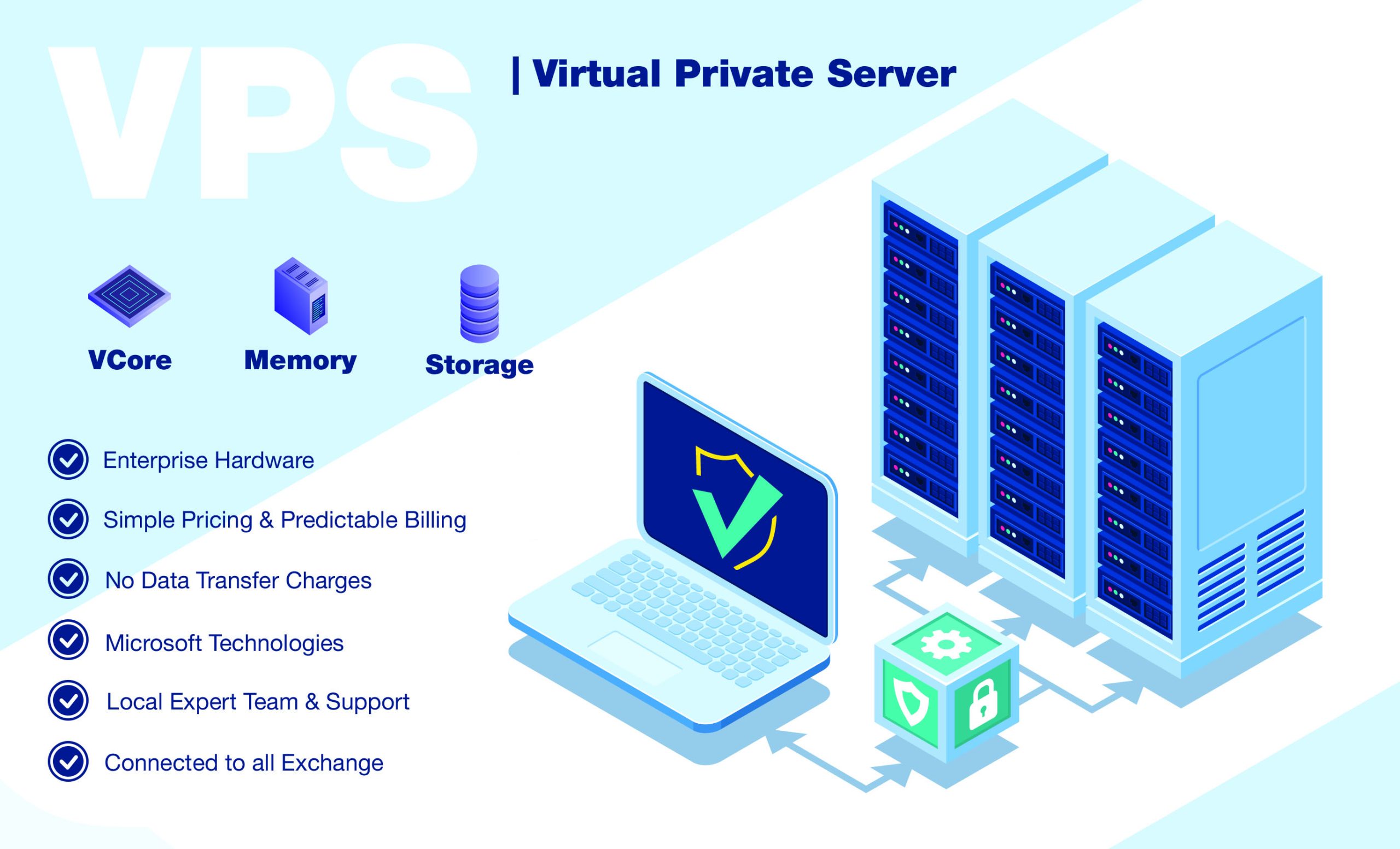
A VPS (Virtual Private Server) is a virtualized server environment that provides dedicated resources within a physical server. It gives users more control, flexibility, and customization compared with traditional shared hosting.
For businesses, developers, startups, and website owners, a VPS can provide a balance between affordability and server-level control.
At Server Kaka, we focus on making VPS and server technology easier to understand so users can choose the right infrastructure for their websites and applications.
🖥️ What is a VPS?
VPS stands for Virtual Private Server.
A physical server can be divided into multiple isolated virtual environments using virtualization technology. Each VPS operates as an independent server environment with its own allocated resources and operating system.
For example, one physical server might host several VPS environments:
Physical Server → Virtualization → VPS 1 | VPS 2 | VPS 3 | VPS 4
Each VPS can run its own applications and services independently.
⚙️ How Does a VPS Work?
A VPS uses virtualization technology to divide physical server resources into separate virtual machines.
The physical server provides resources such as:
- CPU
- RAM
- Storage
- Network connectivity
These resources are allocated to individual VPS environments according to their configuration.
Each VPS can have its own:
- Operating system
- Applications
- Users
- Files
- Security settings
- Server configuration
This gives users significantly more control than typical shared hosting.
🐧 VPS and Linux
Linux is one of the most commonly used operating systems for VPS servers.
Popular Linux distributions include:
- Ubuntu
- Debian
- AlmaLinux
- Rocky Linux
- CentOS Stream
Linux VPS servers are widely used for websites, APIs, databases, development environments, web applications, and many other workloads.
Users can manage Linux VPS servers through tools such as SSH, control panels, and server-management software.
🔐 Why Choose a VPS?
1. More Control
A VPS can provide administrative access that allows users to configure the server according to their requirements.
2. Flexible Configuration
Users can install software, configure services, and customize the operating environment.
3. Resource Allocation
A VPS has allocated computing resources, helping provide more predictable resource availability than basic shared hosting.
4. Scalability
As a website or application grows, VPS resources can often be upgraded according to the hosting provider's available plans.
5. Suitable for Multiple Workloads
A VPS can be used for:
- Websites
- Web applications
- APIs
- Development environments
- Databases
- Business applications
- Testing environments
🌐 VPS vs Shared Hosting
Understanding the difference between VPS and shared hosting is important.
| Feature | Shared Hosting | VPS |
|---|---|---|
| Resources | Shared | Allocated virtual resources |
| Control | Limited | More control |
| Customization | Limited | Higher |
| Root/Admin Access | Usually limited | Often available |
| Scalability | More limited | Generally more flexible |
| Suitable For | Basic websites | Websites & applications needing more control |
The right choice depends on the application's resource requirements, technical needs, budget, and expected traffic.
💻 What Can You Host on a VPS?
A VPS can support many different types of projects.
🌐 Websites
Host business websites, blogs, portfolios, and content platforms.
🛒 E-commerce
Run online stores and supporting services when the server configuration meets application requirements.
🚀 Web Applications
Deploy custom applications and backend services.
🔌 APIs
Host APIs that connect websites, mobile applications, and other services.
🗄️ Databases
Run databases when the workload and architecture are appropriate for the VPS resources.
🧪 Development & Testing
Create isolated environments for software development and testing.
🔑 What is SSH?
SSH (Secure Shell) is a protocol commonly used to securely connect to and manage a remote Linux server.
For example, administrators can use SSH to:
- Install software
- Manage files
- Configure services
- Check server resources
- Update packages
- Manage users
- Review logs
SSH is one of the most important tools for Linux VPS administration.
🛡️ VPS Security
Having a VPS gives you more control, but it also means that server security becomes an important responsibility.
Some basic security practices include:
🔥 Configure a Firewall
Allow only required network traffic and services.
🔐 Use Strong Authentication
Use strong passwords and SSH keys where appropriate.
👤 Manage User Permissions
Give users only the permissions they actually need.
🔄 Keep Software Updated
Regularly apply operating-system and application security updates.
💾 Maintain Backups
Keep reliable backups of important files and databases.
📊 Monitor Your Server
Monitor CPU, RAM, storage, network activity, and important logs.
📈 When Should You Choose a VPS?
A VPS may be worth considering when:
- Your website has outgrown basic shared hosting.
- You need more server customization.
- You need specific software or configurations.
- You are deploying a web application.
- You need greater control over the operating system.
- You want an isolated virtual server environment.
However, VPS administration may require more technical knowledge than managed shared hosting.
🚀 Server Kaka – VPS & Linux Solutions
At Server Kaka, our goal is to make server technology simple and accessible.
Whether you are a developer, startup, business owner, website administrator, or technology learner, understanding VPS infrastructure can help you make better hosting decisions.
From VPS and Linux servers to cloud infrastructure, hosting, security, and server management, Server Kaka focuses on practical solutions for modern digital projects.
🖥️ Server Kaka
VPS | Cloud | Linux | Hosting | Server Security | Server Management
Build Better. Host Smarter. Grow Faster. 🚀
Start Building today
Your content goes here. Edit or remove this text inline or in the module Content settings. You can also style every aspect of this content in the module Design settings and even apply custom CSS to this text in the module Advanced settings.
GPU Droplets: High-Performance Cloud GPUs for AI and Machine Learning
As artificial intelligence, machine learning, and generative AI continue to evolve, developers and businesses need powerful computing infrastructure to train models, run inference workloads, process large datasets, and build intelligent applications. DigitalOcean GPU Droplets provide on-demand, GPU-powered cloud infrastructure that makes it easier to run demanding AI and high-performance computing workloads without managing physical GPU servers.
GPU Droplets combine the simplicity of DigitalOcean Droplets with dedicated GPU acceleration, giving developers access to high-performance AMD and NVIDIA GPU configurations for AI/ML development, model training, inference, data processing, rendering, and other compute-intensive applications.
What Are GPU Droplets?
GPU Droplets are Linux-based virtual machines equipped with powerful GPUs that accelerate workloads that benefit from parallel processing. Unlike traditional CPU-only virtual machines, GPU Droplets are designed to handle computationally intensive workloads such as deep learning, neural network training, generative AI, model fine-tuning, inference, and high-performance computing.
Developers can provision GPU Droplets through the DigitalOcean Control Panel or API and use them as part of a broader cloud infrastructure. GPU Droplets can also integrate with other DigitalOcean services, including Kubernetes, object storage, databases, networking, and other application infrastructure.
What Are GPU Droplets?
GPU Droplets are Linux-based virtual machines equipped with powerful GPUs that accelerate workloads that benefit from parallel processing. Unlike traditional CPU-only virtual machines, GPU Droplets are designed to handle computationally intensive workloads such as deep learning, neural network training, generative AI, model fine-tuning, inference, and high-performance computing.
Developers can provision GPU Droplets through the DigitalOcean Control Panel or API and use them as part of a broader cloud infrastructure. GPU Droplets can also integrate with other DigitalOcean services, including Kubernetes, object storage, databases, networking, and other application infrastructure.
Built for AI and Machine Learning Workloads
Modern AI applications often require significantly more computational power than conventional web or application workloads. Training large machine learning models, processing high-dimensional datasets, and serving AI models in production can place substantial demands on traditional CPU infrastructure.
GPU Droplets are designed to address these requirements by providing GPU acceleration for workloads including:
- AI and machine learning model training
- Large language model (LLM) training and fine-tuning
- Generative AI applications
- AI model inference
- Computer vision
- Natural language processing
- Deep learning
- High-performance computing (HPC)
- Large-scale data processing
- 3D rendering and that developers can manage them similarly to other DigitalOcean Droplets. Instead of maintaining physical servers, power systems, cooling infrastructure, GPU hardware, and data center equipment, teams can provision cloud-basedWhether you're experimenting with a new machine learning model, fine-tuning a foundation model, deploying generative AI inference, or running a demanding HPC workload, GPU Droplets provide the accelerated infrastructure required to move from graphics workloads
- Video processing and media applications
By moving computationally intensive operations to GPU infrastructure, developers can build and test AI workloads without having to purchase and maintain their own physical GPU hardware.
Related Blog Posts
Improve Website Speed
Best Practices for Speeding Up Your Website – Blog Description A fast-loading website is essential for providing a better user experience, improving...
Server Backup
Website Backup – A Complete Guide A website backup is an essential part of website security and data protection. It creates a copy of your website...